MOKiN USB C Type C Hub
❤️To Our Valued Customers: How to Choose the Right Hub for You?
To prevent you from receiving an incompatible product, which would waste your precious time and incur unnecessary return or exchange shipping costs, please take 10 seconds to confirm the following points before placing your order:
🚨1. Check your computer's ports: Does your computer have a Thunderbolt 4/USB-C port (With Data Transfer, DP Alt Mode, and Power Delivery functions)? This determines which type of hub you should choose.
🚨2. Clarify your needs: How many devices do you need to connect? (For example: How many USB devices do you need to connect simultaneously? Do you need an HDMI port? Do you need an Ethernet port? Do you need an SD card slot?)
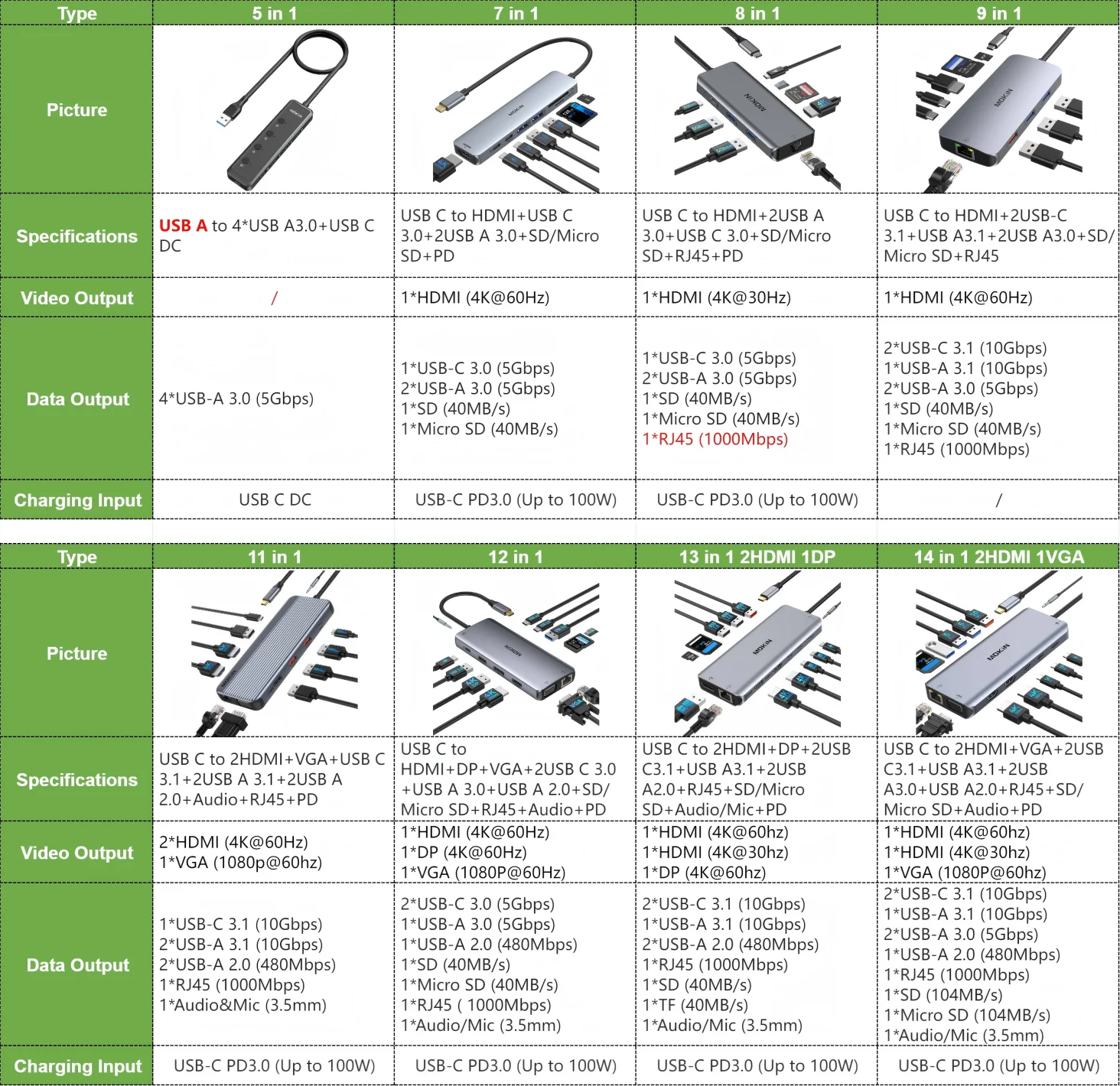
🚨3. Carefully compare models: We have prepared 8 different models of hubs for you. Please carefully review the Model Specifications Comparison Table in the details below to ensure the model you select is perfectly compatible with your computer and devices.
5 in 1: USB A to 4*USB A3.0+USB C DC
7 in 1: USB C to HDMI 4K@60Hz+USB C3.0+2USB A 3.0+SD/TF+PD
8 in 1: USB C to 2USB A3.0+USB C+SD/TF2.0+RJ45 1000Mbps+HDMI 4K@30Hz+PD
9 in 1: USB C TO HDMI+2*USB3.0+USB3.1+2USB-C 3.1+SD/TF+RJ45
11 in 1: USB C to USB C3.1+2USB A3.1+2USB A2.0+Audio+RJ45+2HDMI+VGA+PD
12 in 1: USB C to 2 USB C3.0 +USB A3.0+USB A2.0+SD/TF2.0+RJ45 1000Mbps+DP+HDMI+VGA+PD+Audio
13 in 1: USB C to 2HDMI+DP+2USB C3.1+USB A 3.1+2USB A2.0+RJ45+Audio+SD/TF+PD
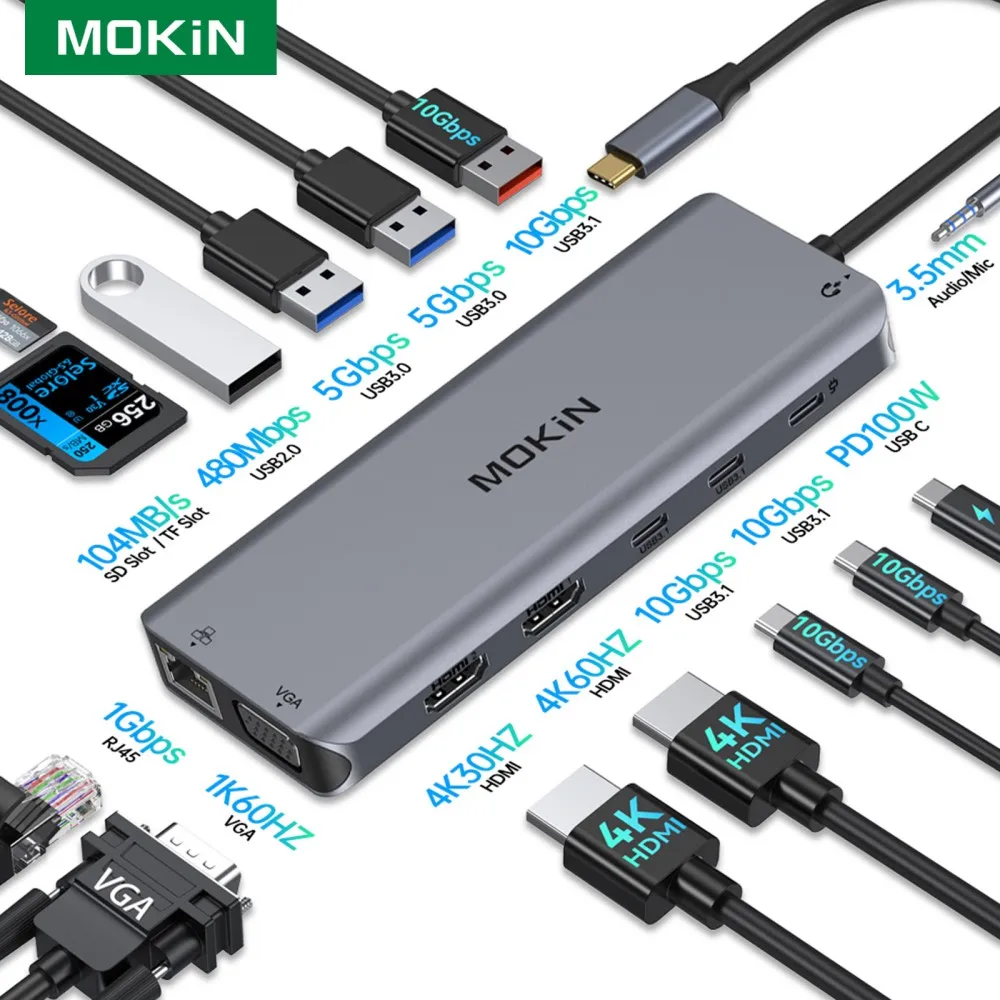
14 in 1: USB C to 2HDMI+VGA+1USB A3.1+2USB A3.0+USB2.0+2USB C3.1+RJ45+Audio+SD/TF+PD
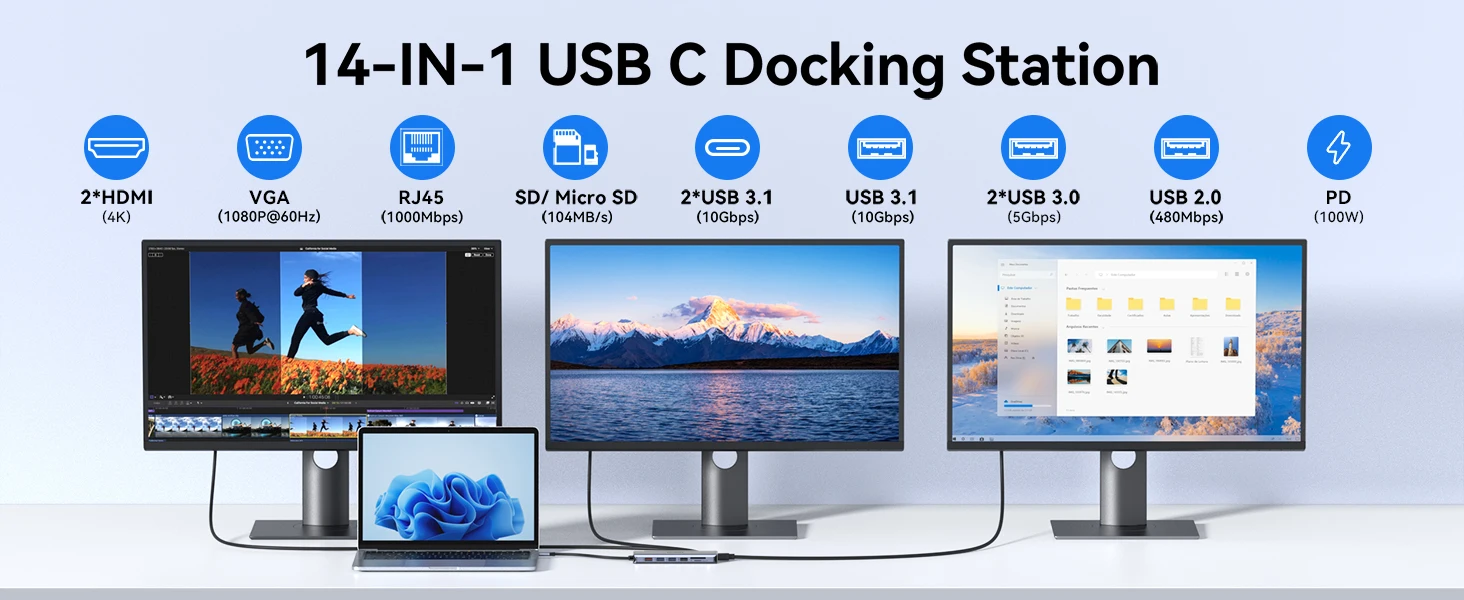
Description of 14 – IN – 1 USB C Docking Station
This 14 – in – 1 USB C docking station is a versatile connectivity solution. It comes with 2 HDMI ports supporting 4K resolution, a VGA port for 1080P@60Hz, an RJ45 port for 1000Mbps network, an SD/Micro SD card reader with 104MB/s speed, 2 USB 3.1 ports (10Gbps), 1 USB 3.1 port (10Gbps), 2 USB 3.0 ports (5Gbps), 1 USB 2.0 port (480Mbps), and a PD port for 100W power delivery. It can expand the connectivity of your laptop, enabling multi – monitor setups, fast data transfer, and efficient charging.
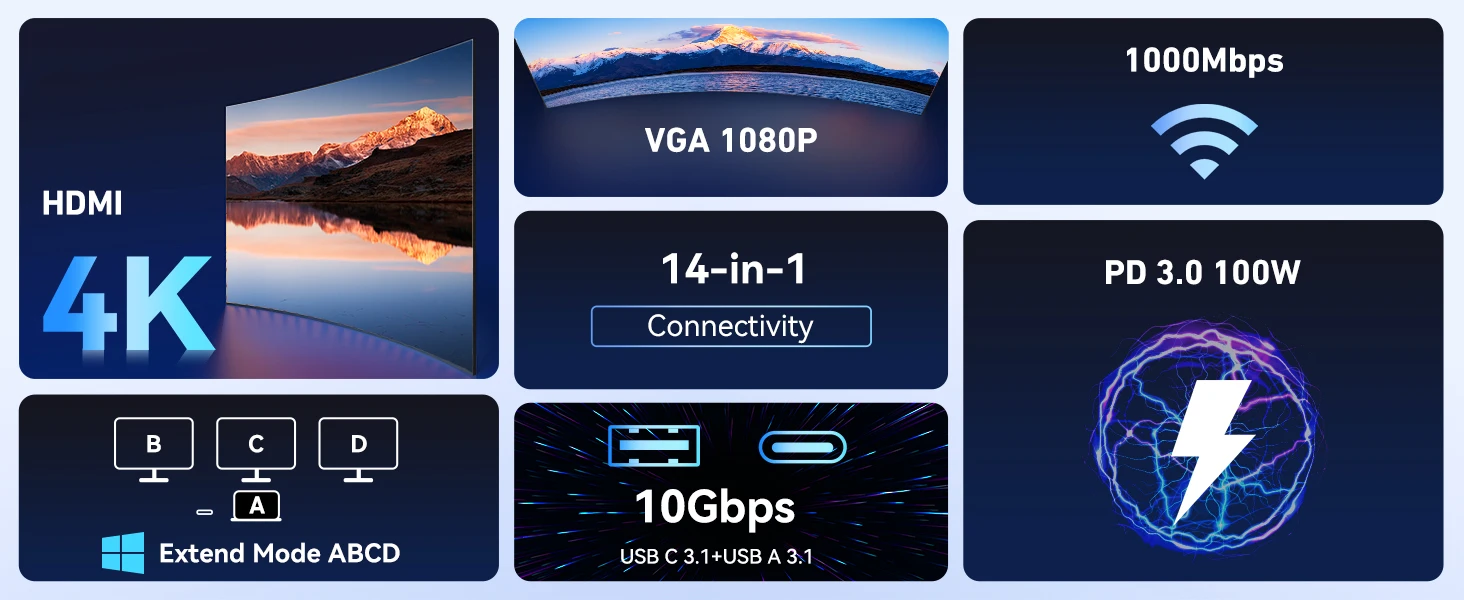
[Key Features Highlight]
►HDMI 4K support for high – resolution display
►VGA 1080P for standard – definition video output
►1000Mbps network via RJ45
►14 – in – 1 connectivity for extensive expansion
►PD 3.0 100W for fast charging
►10Gbps data transfer via USB C 3.1 and USB A 3.1
►Windows Extend Mode ABCD (for compatible systems)
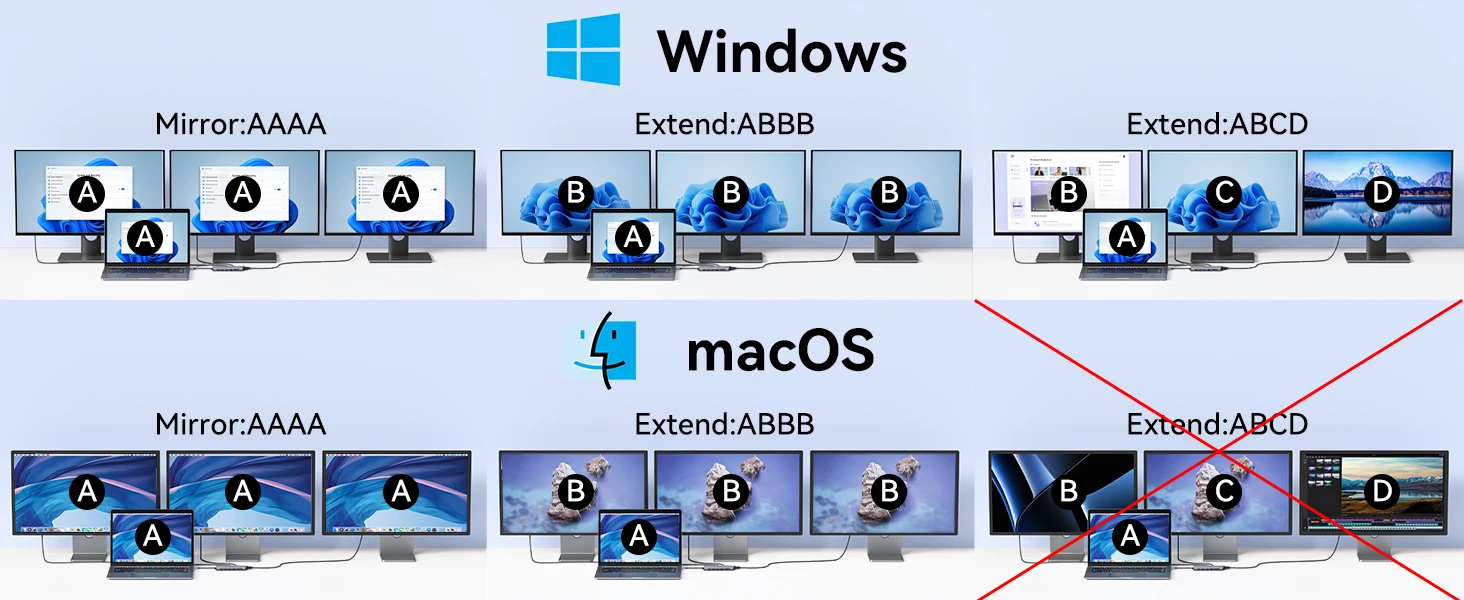
[Display Modes for Windows and macOS]
►For Windows systems, it supports Mirror mode (AAAA, all displays show the same content) and Extend modes like ABBB (laptop display A and three displays B) and ABCD (four different displays A, B, C, D).
►For macOS, it also supports Mirror mode (AAAA) and ABBB Extend mode, but the ABCD Extend mode is not supported due to macOS limitations. This shows the compatibility of the docking station's display output with different operating systems, helping users understand how they can set up multi – monitor configurations based on their OS.
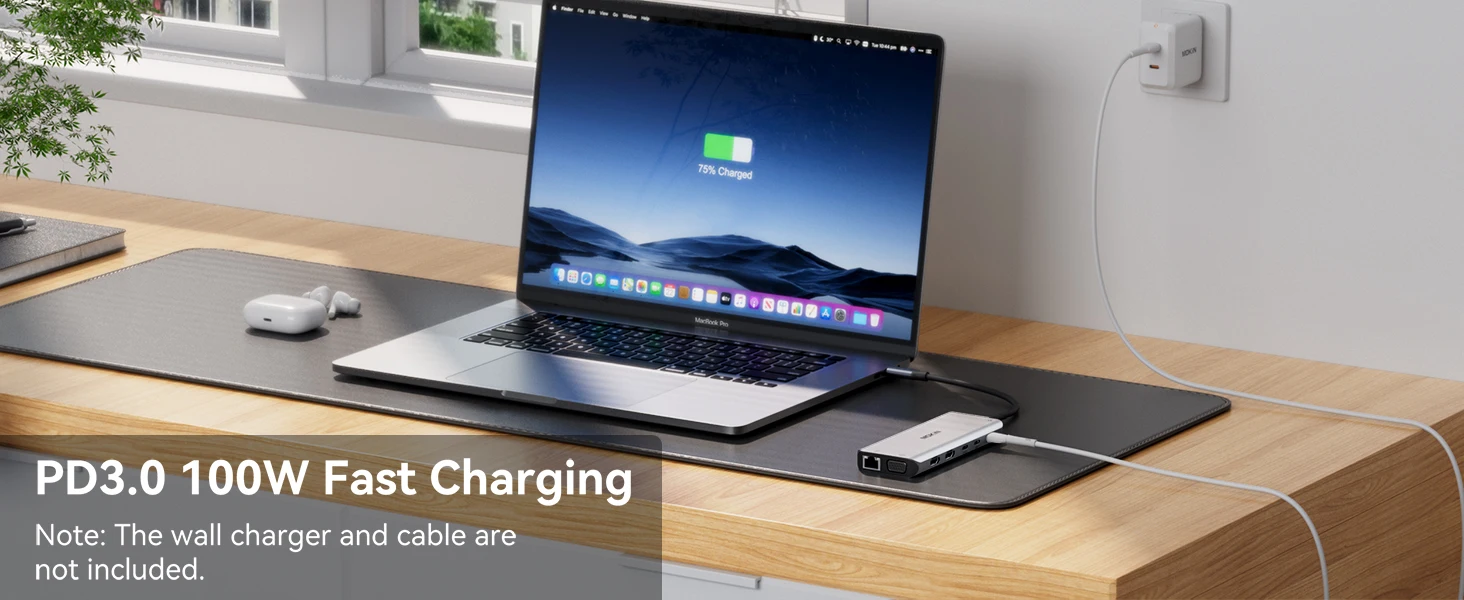
[PD3.0 100W Fast Charging]
The docking station supports PD3.0 100W fast charging for compatible laptops. Note that the wall charger and cable required for this charging are not included. This feature allows for efficient charging of the laptop while using the docking station's other functions, keeping the device powered up quickly.
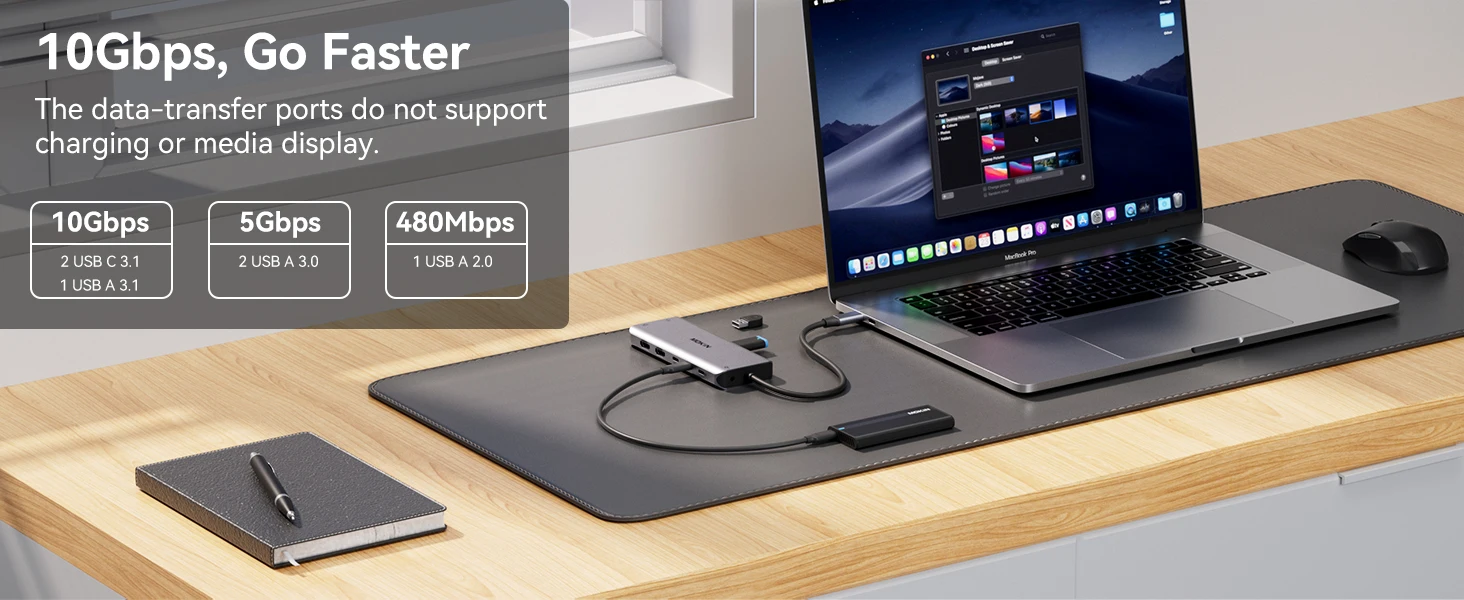
[10Gbps, Go Faster]
The data – transfer ports of the docking station offer high – speed data transfer. It has 2 USB C 3.1 ports and 1 USB A 3.1 port with 10Gbps speed, 2 USB A 3.0 ports with 5Gbps speed, and 1 USB A 2.0 port with 480Mbps speed. Importantly, these data – transfer ports do not support charging or media display, focusing purely on fast data transfer for tasks like transferring large files quickly between devices.
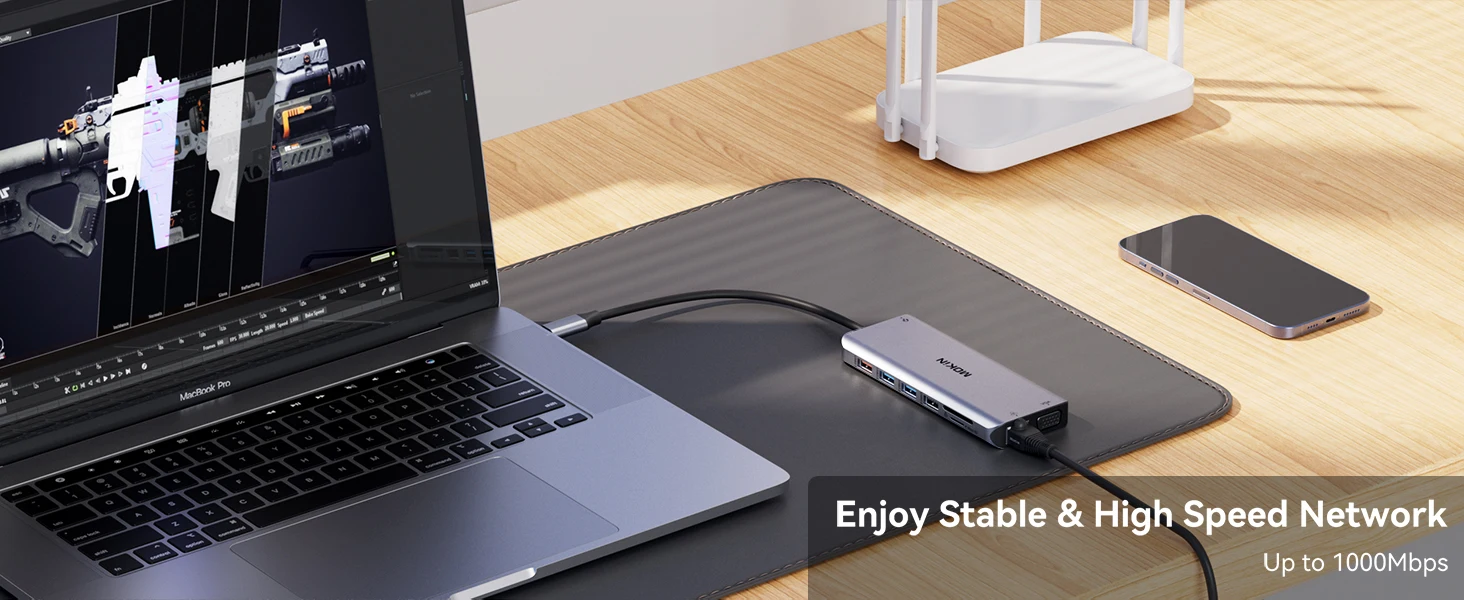
[Enjoy Stable & High Speed Network]
The docking station provides a stable and high – speed network connection via its RJ45 port, with speeds up to 1000Mbps. This allows users to enjoy a reliable wired network connection for activities like large – scale data downloads, online gaming, or video conferencing, enhancing the overall productivity and user experience when using the docking station with a laptop.
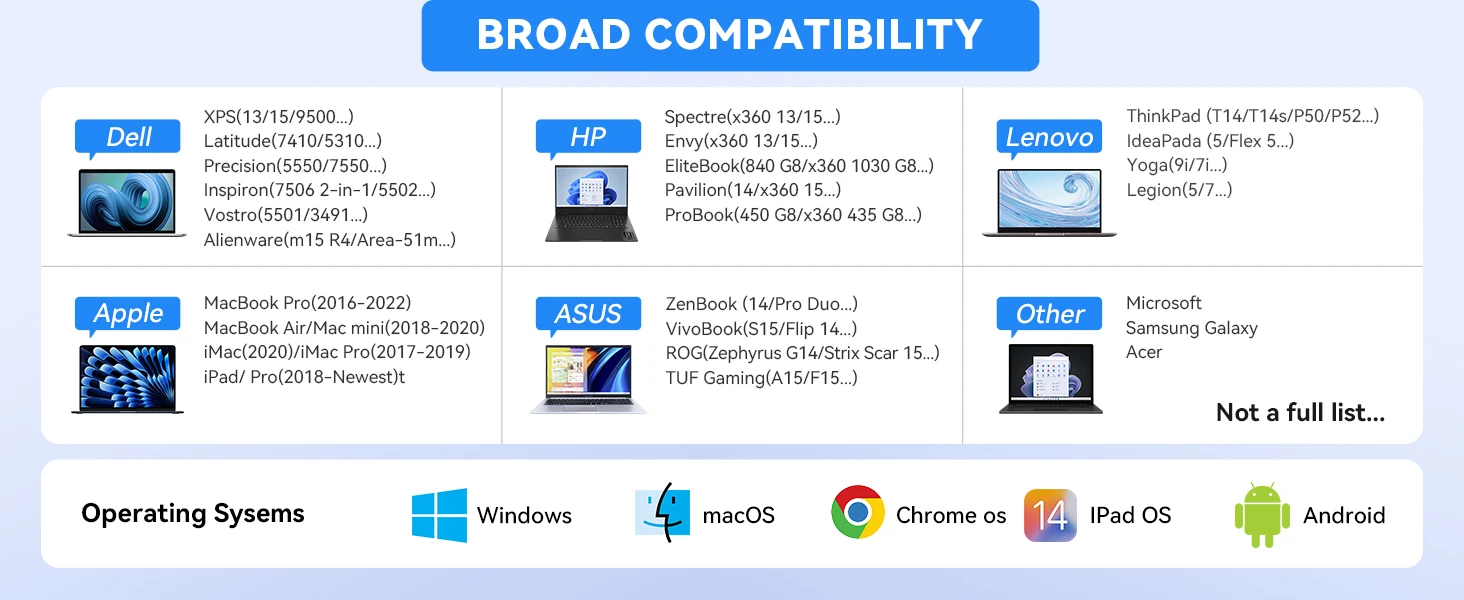
[BROAD COMPATIBILITY]
The docking station has broad compatibility across various laptop brands. It works with Dell models such as XPS, Latitude, Precision, etc.; HP models like Spectre, Envy, EliteBook, etc.; Lenovo models including ThinkPad, IdeaPad, Yoga, etc.; Apple products like MacBook Pro (2016 – 2022), MacBook Air/Mac mini (2018 – 2020), etc.; ASUS models such as ZenBook, VivoBook, ROG, etc.; and other brands like Microsoft, Samsung Galaxy, Acer. It is also compatible with multiple operating systems: Windows, macOS, Chrome OS, iPad OS, and Android, making it a flexible choice for different users with diverse device ecosystems.
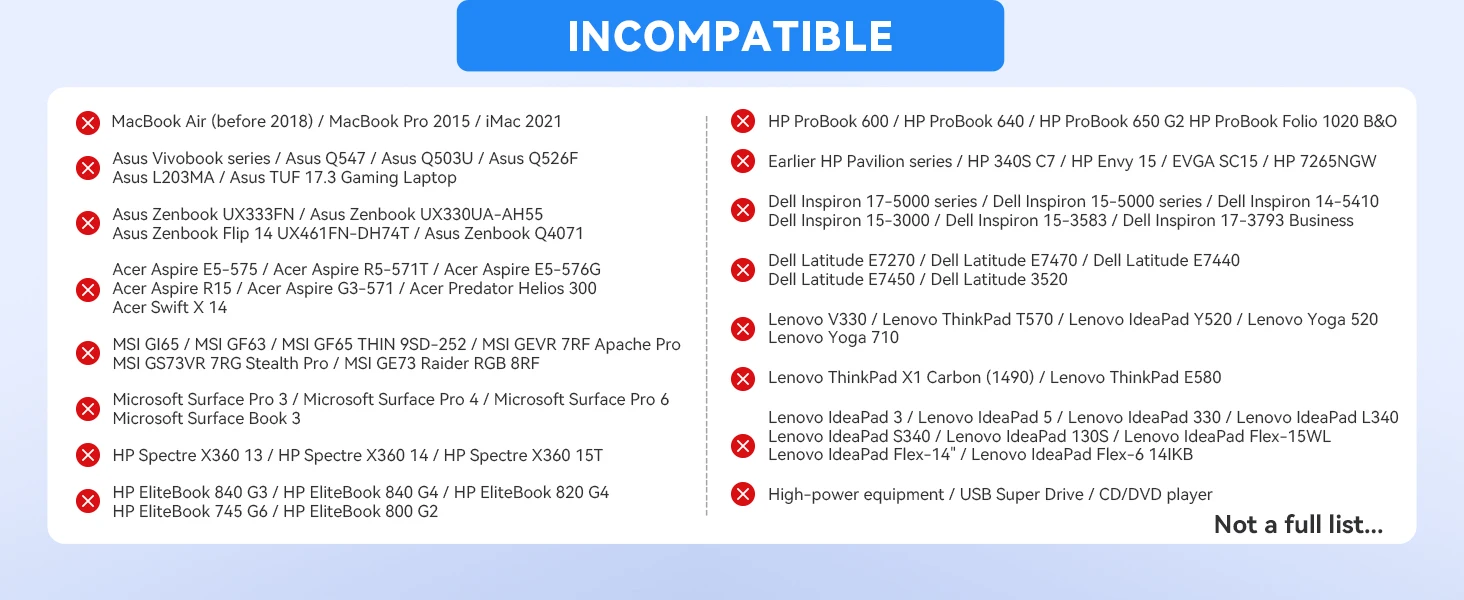
[INCOMPATIBLE]
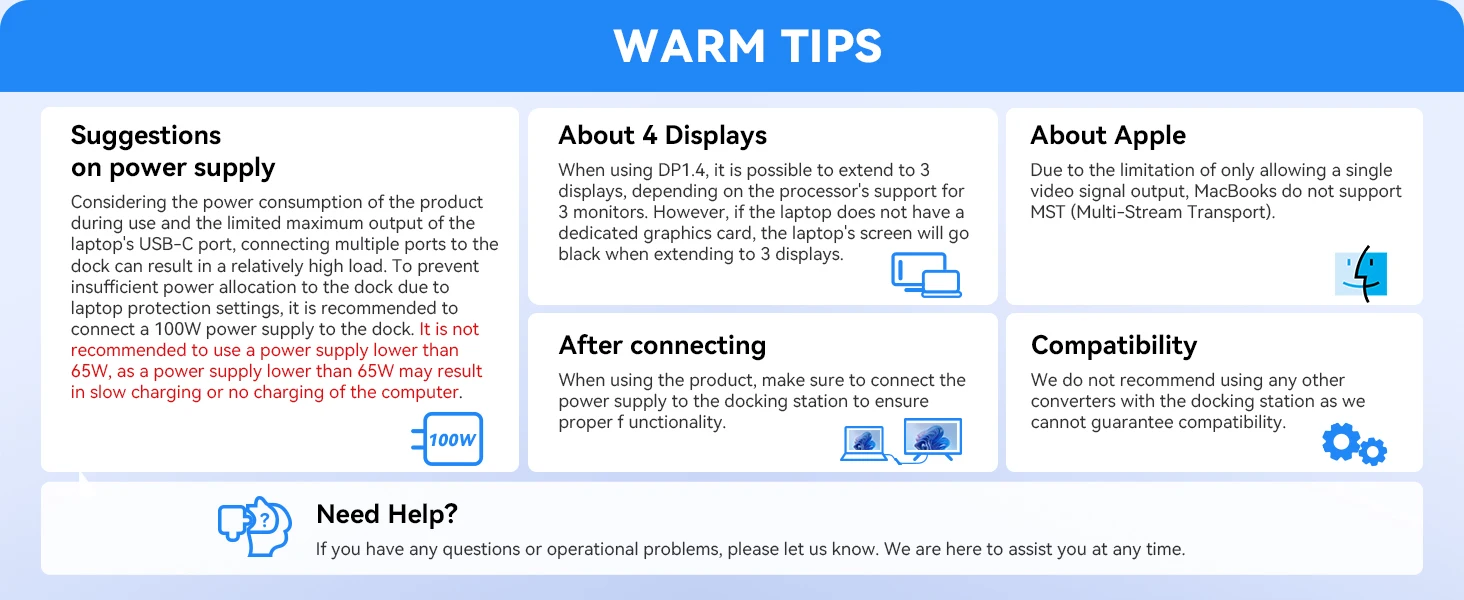
[WARM TIPS]
►Power Supply: To ensure proper operation, a 100W power supply is recommended for the docking station. Using a power supply lower than 65W may cause slow or no charging of the computer due to power consumption and laptop USB – C port output limitations.
►4 Displays: When using DP1.4, extending to 3 displays is possible depending on the processor's support, but without a dedicated graphics card, the laptop screen may go black when extending to 3 displays.
►After Connecting: The power supply must be connected to the docking station for proper functionality.
►Apple: MacBooks don't support MST (Multi – Stream Transport) due to single video signal output limitation.
►Compatibility: Using other converters with the docking station is not recommended as compatibility can't be guaranteed. These tips help users use the docking station correctly and avoid potential problems.
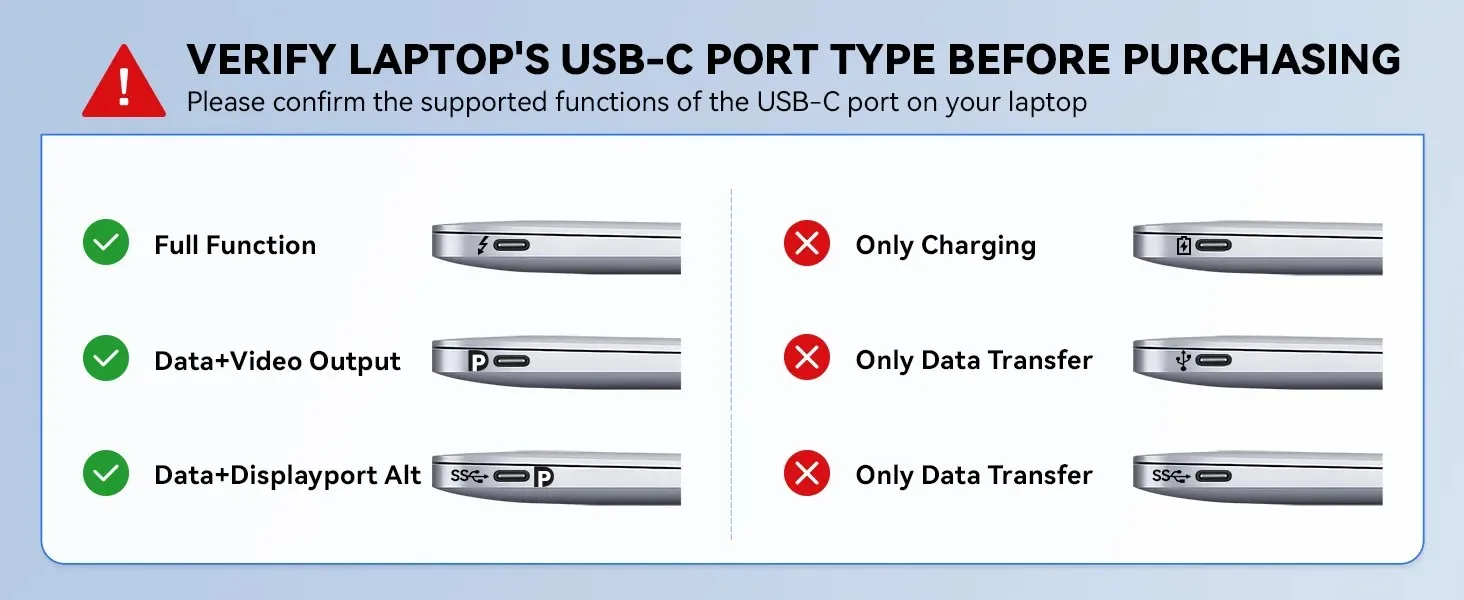
Please ensure your laptop is equipped with any of the following interfaces: Thunderbolt 3/4, a full-featured USB-C (supporting DisplayPort/DP Alt Mode), or USB 4.0 to enable multi-display functionality. If the USB-C port only supports data transfer, it cannot transmit video/audio signals. Please verify the capabilities of your laptop's USB-C port. If you have any questions, feel free to provide your laptop model, and contact us for confirmation.








Reviews
There are no reviews yet.